One week with Apple Watch Nike+

Two weeks ago a gracious client let me borrow his Apple Watch series 1 (since he had upgraded to series 2). It was a nice introduction to the platform since work had purchased a series 2 for me but it wasn’t arriving for a couple weeks.

I now have a full week under my belt with Series 2 Nike+ version and I’m loving this product. The general consensus among the Apple and tech community is that Apple “doubled-down on fitness” with this model. It boasts waterproof specs and has built-in GPS. Plus my Nike+ model has the Nike running app that I haven’t tried yet but I’m eager to jump into that community.

Breathe: my favorite app on Apple Watch

Breathe: my favorite app on Apple Watch

The Apple effect

For those of us in the Apple ecosystem, the Watch has been the best addition to the collection since iPad. From opening the box to setting up the device (more of a treat than I was expecting) to getting the first meaningful notifications, the Apple experience doesn’t disappoint. The screen is gorgeous. The navigation is perfect. And like the iPad, it’s allowed me to distance myself from my iPhone. At first I couldn’t believe how cumbersome the strap worked – tucking the band underneath itself seems as un-Apple as I’ve ever seen. But after a couple days it has grown on me. Regarding the form factor, I’m not a watch-guy so maybe my standards are different. But when I think of how it looks in relation to what it can do and the purpose it has in my (health and wellness focused) life, I couldn’t be more happy with this Apple product on my wrist.

Awesome sport band on Nike+ edition


Better tech for less tech

Many friends and family know me as a tech-centric person. I know the apps, the workflows, the tricks, the devices; I have a pretty good lay of the land. What people probably don’t know is that I view my technology like a world traveler views their luggage: with experience, less is more. People who passionately travel are often trying to make a trip with the smallest bag and the least “stuff” that they can. Less is more. Simple trumps complex. I absolutely love my iPhone (a 128gb computer in my pocket!). But my iPad gave me a device that was an extension of my phone while at the same time it was a work machine that allowed me to access messages and emails only when it was good for me. Apple Watch has taken this to a new level. It is not efficient to look at email on the Watch. It is not efficient to text people from the Watch. Reading the news should not happen on the Watch. But I’m learning how to lock down VIP settings so that only important notifications get through. And even throughout this process, I wasn’t expecting how easy it would be to see a message and not respond because it isn’t efficient on the device. It allows me to get more work done. Distractions derail me. Apple Watch has allowed me to keep control of my efficient work time yet still triage things that are being delivered to my desk.

Ultimate fitness device

In my first week with Apple Watch, my favorite app has been Breathe. This native application couldn’t be more simple: press ‘start’ and pay attention to your breathing for one minute. Slow down, Hans. That’s the point of Breathe: meditation, relaxation, margin, pause, be still. Will I continue to listen to my Watch when it tells me to stop and breathe? I certainly hope so. Interesting story: a Twitter friend said he had just read an infuriating political story (imagine that) and the next moment Apple Watch told him to Breathe. Kinda cool! Just today, something happened at the house that got my blood boiling and as I retreated to the couch to get away, buzz buzz buzz Apple Watch told me to Breathe. Does it sense the quick spike in heart rate? Not sure, don’t really care. All that matters to me is that I have tools, including a coach, in place helping me pursue wellness throughout my day.

Nike branding FTW

As an exercise specialist, the main reason I bought Apple Watch was for the fitness features. It has built in GPS and it’s waterproof. I’m learning how to leverage Health.app as the main hub for my wellness. I’ve given all the fitness apps permission to write to Health.app so that it’s all in one place. While a dedicated triathlon watch may offer more tri-specific features, I believe it could be done with Apple Watch and for most people, Apple Watch is the perfect fitness device. Now it’s not for everyone, but for all my iPhone friends, if they wanted a fitness tracker I would certainly point them to Apple Watch. Which brings me to my last point.

Just another tool

As much as I love my Apple Watch, it’s just a tool. It’s my job to use the different running and fitness apps. It’s up to me to listen when it tells me to Breathe (that’s the name of the app and why I capitalized). It will send me as many or as few notifications as I allow it – so I must master the platform. But it’s a blast to use and I see it as my primary health and wellness device. Moving forward, I think about tools like this for my industry. How can we use tools like this to help people get healthier? Can we build apps that are easier to use? Improve communication between clients and trainers, patients and medical staff? Can we use technology so efficiently that it actually gets out of the way so we can live healthier and more disciplined lives? That is my goal.
Love This Book: the vlog

Five years ago my church went through the Bible in a year. It was called “Eat This Book” The goal was to get through the text in a year. It was a very ambitious project. This year the challenge is called “Love this Book,” and the goal is just that – to fall in love with the Bible. What does that look like? How will we know if we are on the right path? What will the life of a Christ-follower look like in June, in September, or at the end of the year after going through this series? I’m asking all of these questions in my newest project on the blog – it’s my LTB vlog!


I’ll probably update this page throughout the year – for now here is my one disclaimer. My purpose is to document what it looks like to go through a year-long reading plan. I am not a Bible teacher. I am not a professional “vlogger.” I’m just hoping that seeing someone else spend a week reading, writing and reflecting will encourage others to participate.

LTB 001

LTB 002

LTB 003 // What is Love?

LTB 004 // On This Mountain

LTB 010 || Getting Through Leviticus

LTB 011 || What’s Next?

LTB 012 || Singin’ In The Car

LTB 013 || Pivot and Feature All Three

LTB 014 || I Know Where This Goes

LTB 015 || All Caught Up

LTB vlog 016 || Transition

LTB vlog 017 || On the Shoulders of Giants

LTB 018 // Embrqcing the Process


LTB 019 || Stay Focused

LTB 020 || Series of Adjustments

Starting 2017

Starting

As we ended the year last week I talked with numerous clients about reverse engineering 2017. I encouraged them to envision what they wanted their health to look and feel like at this time next December. It's a poignant time of year to look back but also (I would argue) look ahead. What does that look like? What have you built? How have you gotten stronger, faster, healthier? So you have your goal for 12 months down the calendar. What's next?

Start.

I know what you're thinking: "I'm scared to start because I am afraid I won't keep it up." Or worse, "Everyone's starting their New Year's Resolutions, and I'm not into those. If everyone's doing it, I'm out." Let's all put down our device and realize it doesn't matter what other people are doing. You, my friend have a goal for 2017 and it's time to start. But starting is probably the toughest part of this whole thing. I know because I'm right there step-for-step with you.

What am I starting in 2017? First off, I'm starting with less. I did really well reading devotionals last year, beginning each day reflecting on portions of the Bible or topics to become a better man, husband, father. Over the years I've gathered multiple devotionals (most of which are fantastic) but what I've realized is that by not focusing on one, I've watered down the messages and concepts. I've essentially robbed myself of the full impact of a single entry. This year I'm down to one entry per morning. I haven't decided on which one or even if I'll switch throughout the year (month-to-month?). See that? The plan doesn't have to be perfect. But I have to start.

I'm reading less. That's not completely accurate. I'm reading less of the tech Twitter stuff that I absolutely lovereading. I'm refocusing my daily Twitter news to actual news first and my exercise science and fitness news second. As I've reflected I've the last couple weeks I've realized a clear fork in the road when I sit down to read: I could go left and read to make myself better professionally or I could go right and read fun tech stuff that is useful but does not help pay the bill or feed me in any way other than as a hobbyist. Reading less of the tech stuff will be an intentional disciplined move to reading what matters to me.

These are just a couple ways I'm starting with less. But I'm also starting things new, and yes starting today. A big part of what I want to accomplish in 2017 includes writing publicly more. Each year I typically write more than the previous year, so as a writer I'm improving. Win! I am a big proponent of writing every day even if it's just in a journal or something that never gets published to the world. At the same time I believe that putting public posts like this on the internet force me to be at the top of my game, continually get better, and punch fear in the face. It's not easy to write in public. But the successful people that I read were one day in the same boat: they had to start writing and hitting that publish button. One of my main goals for 2017 includes writing more on a weekly basis. I ended last year with a new writing project, Tech Trainer, which I am very proud of. I will continue this project in 2017 – it still feels like I'm "starting" this one.

Finally I'm not starting new health and fitness but I am starting a new training focus this year: I'm calling it TriForty. Again, the goal here isn't to list out all the details of what I'm starting but rather make the case that starting is one of the hardest part. Yet we all can agree that there can be no finish, no journey, no struggle and victory if there is no start.

1/1/17 and it's time to start.

One of my favorite weekly routines

My work typically starts at 5:40 every morning. Don’t feel sorry for me; I’m a morning guy and I’m doing work I absolutely love. Lately my Friday client load has been starting later, 7:20 to be exact. This has allowed me to get to favorite coffee shop first thing in the morning. They open at six and there’s only a couple regulars that sometimes beat me to the register.

Why get up early when I could instead sleep another hour? Two reasons. First, I have found that if I get up at the same time every day I’m much better off. Second (and much more importantly) it gives me space to get my head right. By Friday there are usually unfinished tasks, new duties and ideas to process, and limited time to wrap it all up. The Firefly at 6am Friday helps me finish well.

Christmas Music 2016

Music has always been a big part of my Christmas season. In high school I loved decorating Mr. Brooks’ choir room while listening to Christmas music starting the Monday after Thanksgiving. For as long as I can remember singing Christmas carols in church has always warmed my soul. My dad often sang a solo of Oh Holy Night at our Christmas Eve service. Christmas is way more than music, but songs get my heart and mind ready for the season.

Giving Gifts: Our Talents

Since becoming a Christian in 1998, Christmas has grown deeper in meaning to me and to my family. And songs have played a big role all along the way. Lately I’ve spent a lot of time thinking about gift-giving and gift receiving. I’ve leaned heavily on my faith as I’ve learned what it means to give a great gift. It was in this spirit that I wrote one of my favorite blog posts as I contemplated the full breadth of Little Drummer Boy. It ended up being a four-part series including the introduction based on my favorite rendition of the song by Jars of Clay. If you only have a couple minutes, check out Scene 2 and Scene 3. With that commentary as a backdrop, gift-giving has a new meaning: we can bring ourselves and our talents.

Giving Gifts: “The Christmas Album You Need”

This past Sunday I posted:

I got a bunch of responses, some expected and some I never saw coming. I proceeded to take each person’s comment and create a Spotify playlist: I offer you 2016 Friends Christmas album.

Late on Sunday I got a text from my friend Todd. He saw my Facebook post and wanted me to know that he had bought be “the Christmas album you need.” Monday morning I downloaded it and by 5:30am I was listening to a brand new album because of the generous gift of a friend.

It takes me back when I think about the role of music this Christmas season. The Spotify playlist is nothing special except it is! There is nothing unifying that playlist except they are the 16 friends who decided to share with me their songs and it turned into a collaboration. There is nothing special about Todd’s album that he gifted me except there is! It’s new, it’s good (!), and it was as genuine as it gets; I asked for song suggestions and a friend who really likes music picked out an album that he thought I would like.

I want our gift giving could be as simple as these two examples: a friendly collaboration and a simple $9.99 iTunes purchase. I hope Christmas music the next four days can take us to such rich and warm places as this.

Merry Christmas!

Essential: Email (Part 1)

TL;DR

Email is obviously essential to our communication and this success in our digital age. Email is great for sending and receiving information but not so great to organize tasks. I have learned to process my email to Inbox Zero as often as possible and get the important information out to a dedicated task management system. Challenge your thinking and strategy to handle email.


Let’s go way back, shall we? I’m a senior at Pewaukee High School. I’m getting ready to go to college and so I’m spending more time on the computers doing bigger writing projects. My friends who are already in college are telling me it’s all about writing papers. In the high school library things are changing. They’re expanding the computer lab, computers are increasingly using a mouse (connected by a wire of course – 1995 people!), and for the first time we have an opportunity to sign up for electronic mail. I think it is safe to say I was the first one in my class to have an e-mail address – very cool! Except that I’m the first and the only so I have no one to write! If only there was a sad-face emoji in 1995…

The next year as a freshman at the University of Wisconsin I was required to have and use my University-issued email address. It was a confusing time because I was on the verge of being “cutting edge” at my high school and now I’m one of 20,000 other freshmen with an email address I was expected to use daily to communicate with classmates, advisors, and professors. And ever since that first semester as a Badger I’ve been expected to communicate personally and professionally over electronic mail.

Fast-forward twenty years (gulp). I cannot imagine a world without email. I know you’re in the same boat, but where our journeys may differ is that I’ve come to peace with my email inbox. In fact it’s not an exaggeration to say that I actually enjoy email. I can make this claim because over the years I have developed a system to process email (HT Inbox Zero by Merlin Mann).

I’m going to start at the end, meaning where I currently sit with email. I have tried all kinds of apps and different practices to handle the digital communication that is email.

I can’t imagine running a business without email. At the same time most of us are sick of email, buried in email, and probably don’t “do” email well. We all know that it is one of if not the primary mode of communication in business. For us to succeed, we better figure out how to be an email power-user if we are going to keep good relationships with our clients. We need to quickly and efficiently follow up on leads, adjust workouts, schedule sessions, and check with clients at week’s end.

On iOS most users will default to the built-in Mail.app. To be fair, Apple is continually updating the features in Mail but I still believe it lacks the power and efficiency for a professional with my needs; namely, it doesn’t have a share sheet. The share sheet allows you to send parts or all of an email to other apps. For me, this means saving files (attachments) to Dropbox or Google Drive, adding an email to my task management system, or creating a PDF from an email. If you’re asking yourself “why would I have to do these things?” you’re probably not alone. Let me explain.

I use email to communicate (i.e. exchange and share information); I do not use it as a task management system. There’s a difference. We all get emails that require us to do something. When you get these, do you organize it in your mail app? Do you print it off so you can do it later? Do you flag it or put it in a folder? For me this doesn’t work. I use a dedicated task management app (2Do) when I have specific things to do. That means I need to get things out of email and into 2Do. If it’s not a specific task, I need to copy text into the appropriate project file – anything to get it out of email.

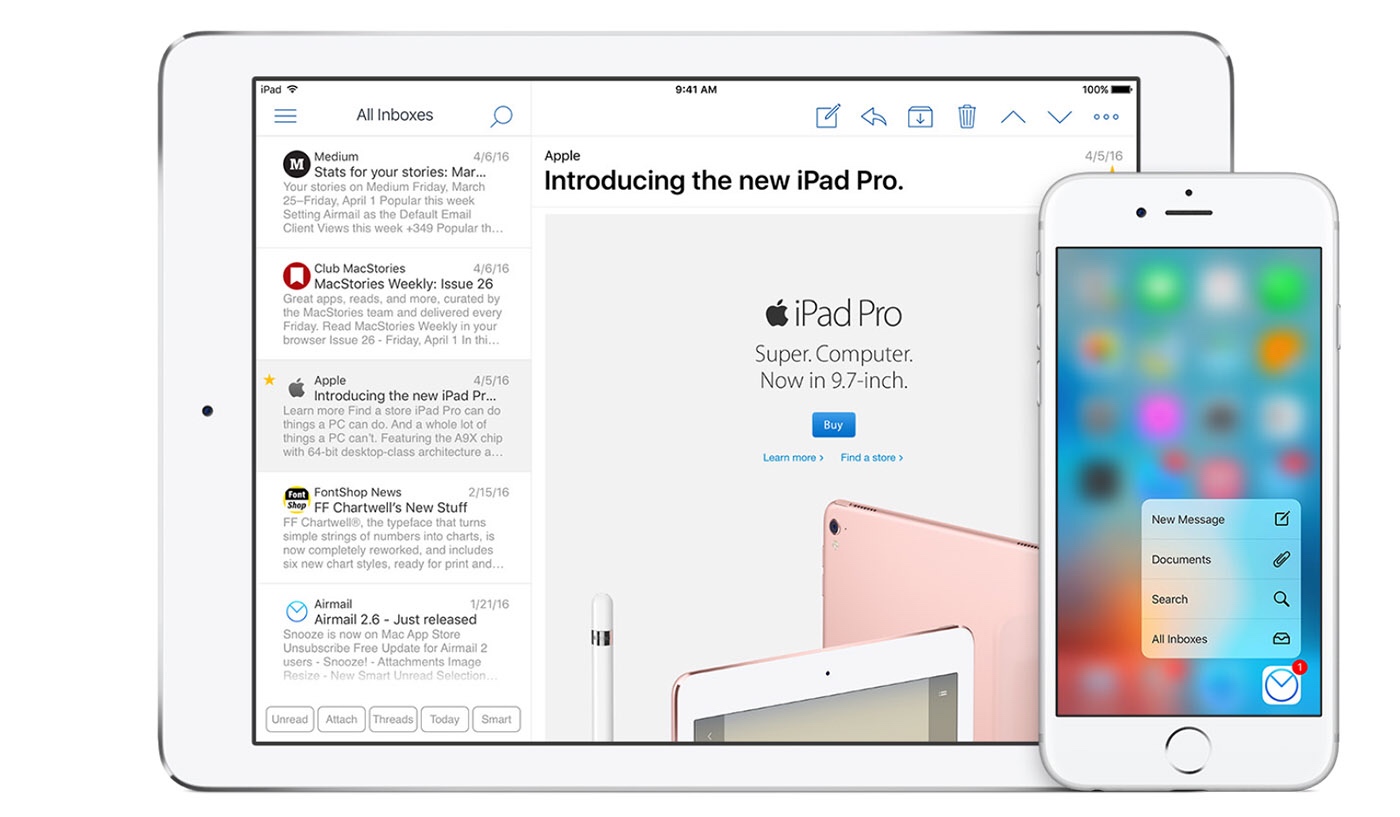
I use Airmail on iOS because it offers the easiest way for me to send a task to 2Do (my task management app of choice) and to Snooze an email so it comes back to me at just the right time and so that I don’t forget it. If those two reasons seem small or insignificant to you, then examine how you use email. Maybe Mail and copy/paste is good enough for you. Maybe you use email (tags, labels, folders) to keep your tasks and reminders organized. Let me be clear: do whatever works for you. But in my experience, email is for communicating with people and getting information. A dedicated task manager is for getting stuff done. I don’t want to have to retrieve information in my email system because inevitably when I’m looking something up I’ll either see another message that needs attention or some new message will come in and distract me from the task at hand.

How do you process email? Have you ever thought about it? Do you think your system could be more efficient?

If you’re looking for more details about Airmail, read Federico Viticci’s review on Macstories.